Triggering Flows From Mini Apps

The PfJs for On Render Class built into ProcFu has some interesting functions to perform common javascript actions. Of note are:
PfJs.addGfFlowButton - add a button to trigger a Manual Flow
PfJs.addGfHookButton - add a button to trigger a Webhook Flow
For this example, we're goint to trigger a manual flow.
Podio Setup
I have a pretty generic Podio app for this example.
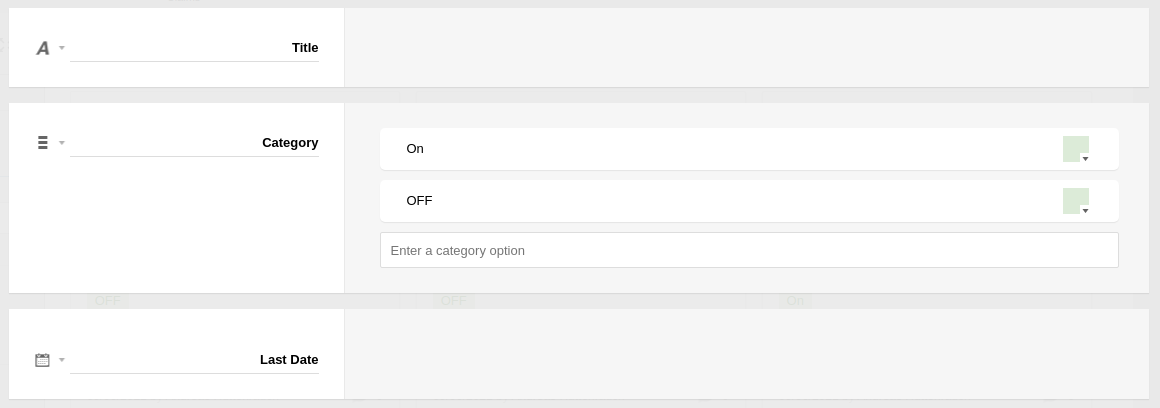
One thing we will need later are our c and p values. For this, go to the developer options page for the app:
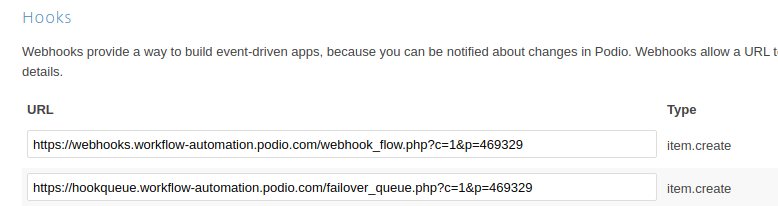
And grab the c and p values on the workflow-automation hooks.
Workflow Automation Setup
In GlobiFlow, I have a simple little flow that will toggle the status of an item:
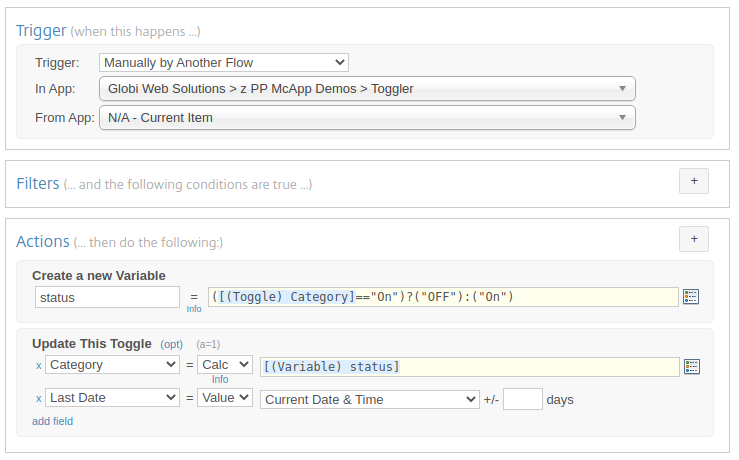
The Podio App and GF Flow are basically here only to serve as an example. You can use the rest of this post for any app and any Manual Flow.
Mini App Setup
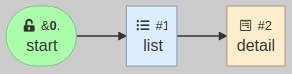
The mini app is quite simple. It's just an App Summary screen with a click-through to a read-only detail screen.
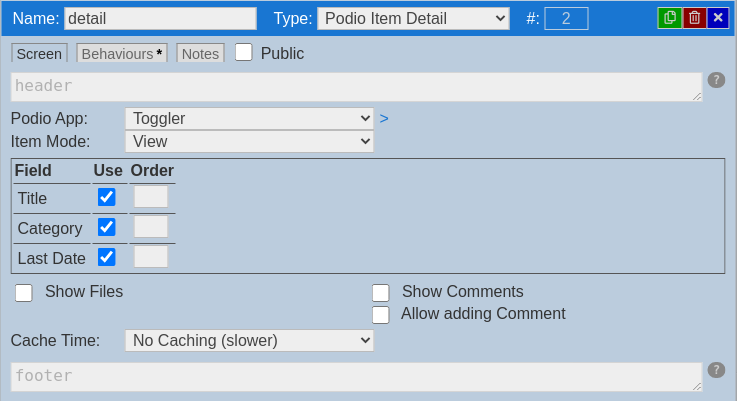
The meat of the work happens in the detail screen. But because we're doing edits outside of the mini app, we need to make sure that caching is turned off.
In the Before Render event, we need to save the current item ID.

It's just simply:
my_variables.current_id = current_item.item_id
Then, in the On Render event, we add the button:
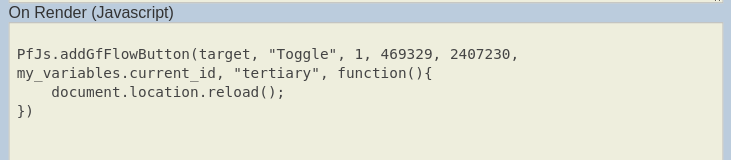
The code I'm using is:
PfJs.addGfFlowButton(target, "Toggle", 1, 469329, 2407230, my_variables.current_id, "tertiary", function(){
    document.location.reload();
})
The syntax for the addGfFlowButton function is:
PfJs.addGfFlowButton(target, label, c, p, flow_id, item_id, css_class, click_func)
What we're passing is as follows:
target = the target passed to the On Render event, which would be the current screen. ProcFu will try to find an appropriate place to add the button therein.
label = the label on the button
c = c value in the app which we got from the developer options page in Podio
p = p value (same as above)
flow_id = ID of the flow
item_id = item id to trigger on which we saved in the Before Render event
css_class = optional class for button (I like green)
click_func = function to run on success - here I'm just reloading the page
Result
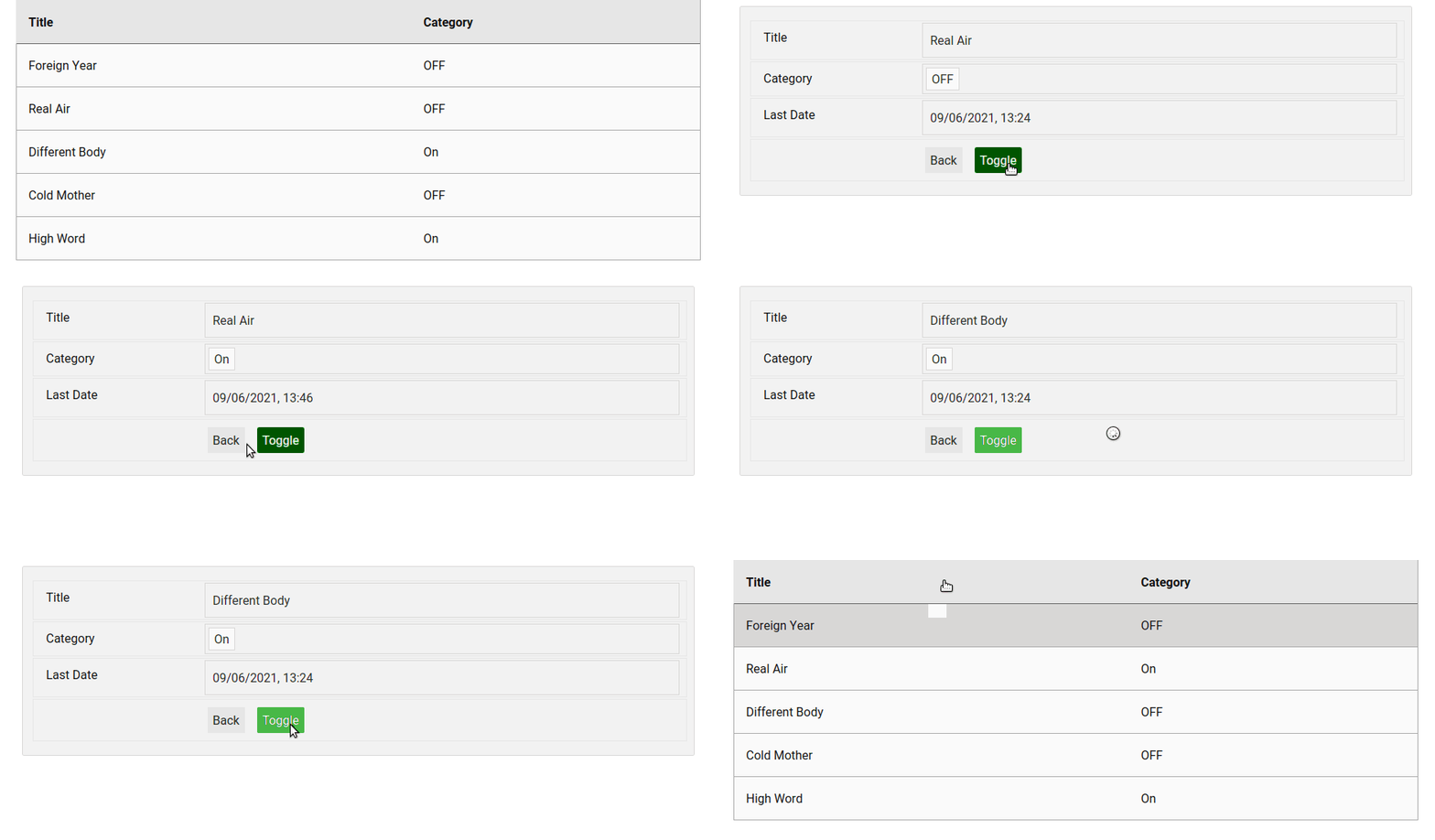
The result is a simple list > detail app where users cannot edit anything, but can click a toggle button that triggers our flow and reloads the page: