Podio to Notion Sync for Client Project Trackers
Northlight Films is a nine-person corporate video studio. Every project lives in Podio: budget, crew, shoot dates, edit rounds, invoices. Every client gets a Notion page with a small database called Production Tracker, shared with them as guests, because clients will open a Notion link and will not learn Podio.
The trouble was Friday afternoon. Dana, the senior producer, opened 14 client trackers and retyped each project's stage and dates from Podio. It took her about 50 minutes. By Tuesday half of it was wrong. One client emailed to ask when editing would start on a video that had been delivered two days earlier.
What they tried
First they invited clients into a Podio workspace. That lasted a week. Clients saw budgets and crew rates, and Podio has no way to hide a field from one person on a shared item.
Then they tried Zapier. A Zap can create a Notion row when a Podio item is created. Keeping that row current is the hard part: each update needs a lookup step to find the right row, a second path for projects that have no row yet, and a different Notion database for every client. Dana gave up after the third client.
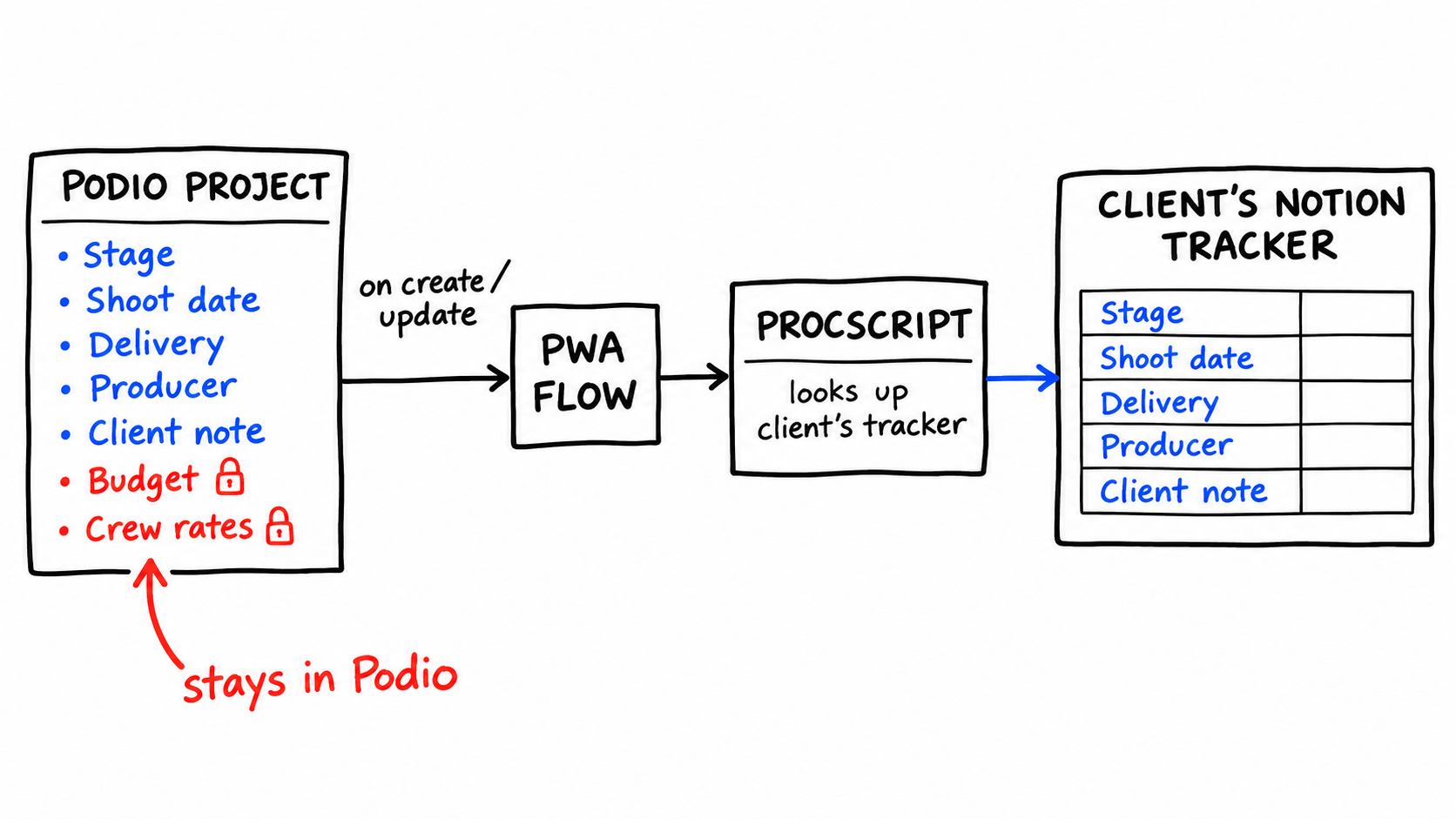
What they needed was a one-way feed. Podio stays the source of truth. A handful of client-safe fields go to the right Notion tracker every time a project changes, and the budget never leaves Podio.
What you need
- A ProcFu account with Notion connected
- Podio with PWA (Podio Workflow Automation)
- One Notion database per client, which ProcFu is allowed to see
Step 1: Connect Notion to ProcFu
In ProcFu, open Account > Integrations, click Add New Integration and choose Notion. Notion asks which pages ProcFu may access. Pick the client pages that hold the trackers. ProcFu only sees what you tick here, so a new client's page has to be added later through the same screen.
If you connected Notion years ago with a browser cookie, that is the old connection, listed as Notion (old). The functions in this post use the new one.
Step 2: The Notion tracker
Each client's Production Tracker has these properties:
| Property | Notion type |
|---|---|
| Project | Title |
| Stage | Select |
| Shoot date | Date |
| Delivery | Date |
| Producer | Text |
| Latest update | Text |
Make Stage a Select, not Notion's Status type. ProcFu's row functions write Select values, and a Status property will reject the update.
Add the Select options to match your Podio stages exactly: Pre-production, Shooting, Editing, Client review, Delivered. Copy the database URL from your browser. You'll paste it into Podio next.
Step 3: The Podio fields
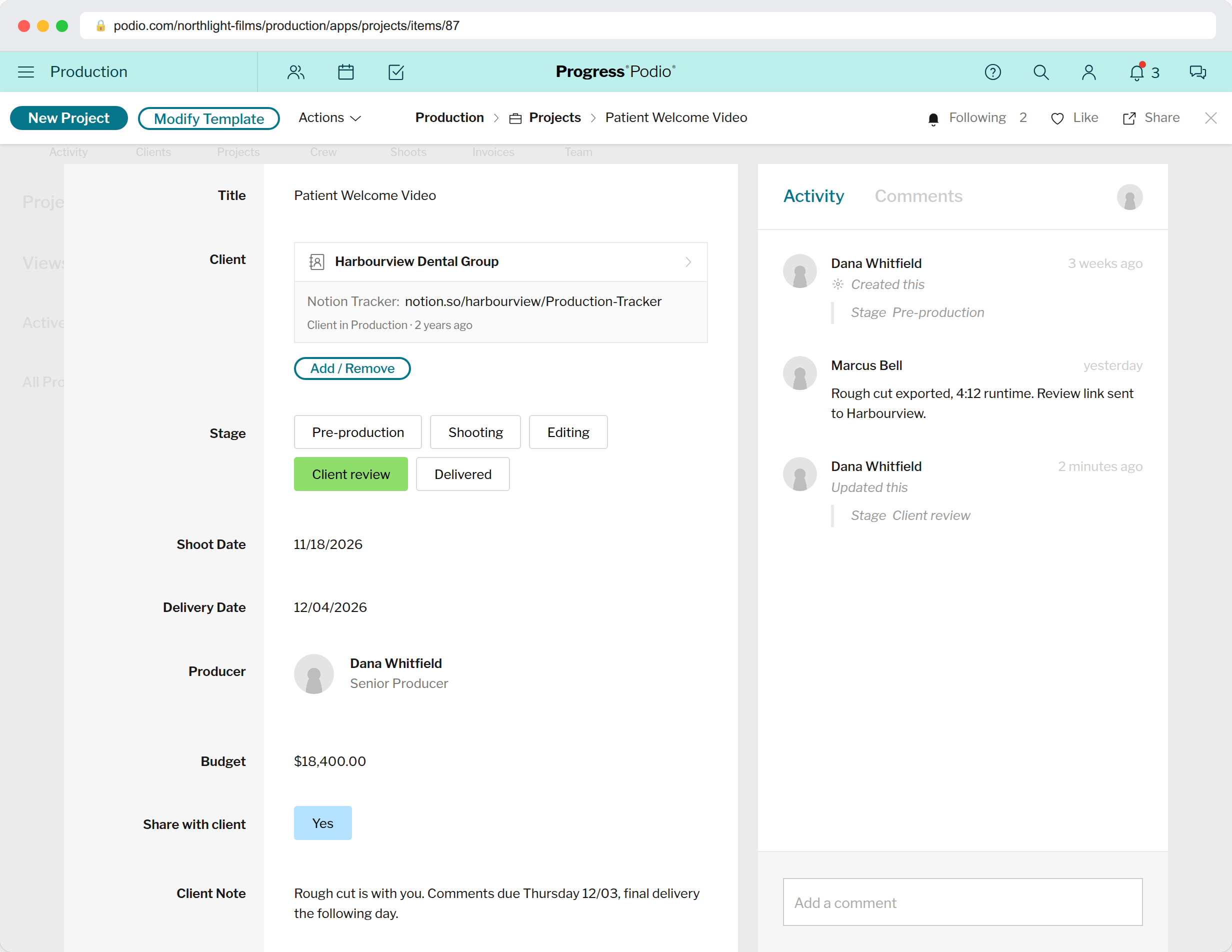
In the Clients app, add a single-line text field Notion Tracker (external ID notion-tracker) and paste each client's database URL into it.
In the Projects app, Northlight already had title, client (relationship to Clients), stage (category), shoot-date, delivery-date and producer (member). Add three more:
- Share with client, a category with one option, Yes. Pitches and internal jobs stay off the tracker.
- Client note, a multi-line text field. This is the one sentence the client reads: "Rough cut is with you, comments due Thursday."
- Notion ID, a single-line text field set to always hidden. The script fills it in.
Step 4: The script
Save this in the ProcFu Code Editor as sync_project_to_notion:
// sync_project_to_notion: copy client-safe fields to the client's Notion tracker
$p = flow_item_get($payload["item_id"]);
IF ($p["share-with-client"] != "Yes") {
    RETURN "not shared";
}

$client = flow_item_get($p["client"][0]["item_id"]);
$tracker = $client["notion-tracker"];
IF (empty($tracker)) {
    RETURN "client has no tracker";
}

IF (empty($p["producer"])) {
    $producer = "";
} ELSE {
    $producer = $p["producer"][0]["name"];
}

$fields = [
    "Project" => $p["title"],
    "Stage" => $p["stage"],
    "Shoot date" => $p["shoot-date"],
    "Delivery" => $p["delivery-date"],
    "Producer" => $producer,
    "Latest update" => substr(trim(strip_tags($p["client-note"])), 0, 1900)
];

IF (empty($p["notion-id"])) {
    $rowId = notion_table_row_add($tracker, json_encode($fields));
    podio_item_fields_update($payload["item_id"], json_encode(["notion-id" => $rowId]), false, true);
    RETURN "created " + $rowId;
}

notion_table_row_update($tracker, $p["notion-id"], json_encode($fields));
RETURN "updated";
A few lines deserve a note.
flow_item_get returns a simplified item: categories as their text, dates as 2026-12-03, relationships and members as lists. That's why the client is $p["client"][0]["item_id"] and the producer is $p["producer"][0]["name"].
The keys in $fields are the Notion property names, spelled exactly as in the tracker. Podio's external IDs are on the right. An empty date or stage clears that property in Notion, so a pushed-back shoot with no new date shows as blank, not stale.
The Notion ID is the switch. On the first run there is none, so notion_table_row_add creates the row and returns its ID. podio_item_fields_update saves that ID with hook set to false, so writing it doesn't fire the update flow a second time. Every later run takes the notion_table_row_update path and edits the same row.
strip_tags removes the formatting Podio keeps in multi-line text, and substr keeps the note under Notion's 2,000-character limit for one block of text.
Step 5: Two PWA flows
In PWA, create two flows on the Projects app: one that triggers when an item is created and one that triggers when an item is updated. Each gets the same single action, Capture Result of a Remote ProcFu API Function:
- From URL:
https://procfu.com/exe/call_procscript.pf - POST Params:
scriptname=sync_project_to_notion&payload={"item_id":ITEM_ID}, withITEM_IDfrom the token picker
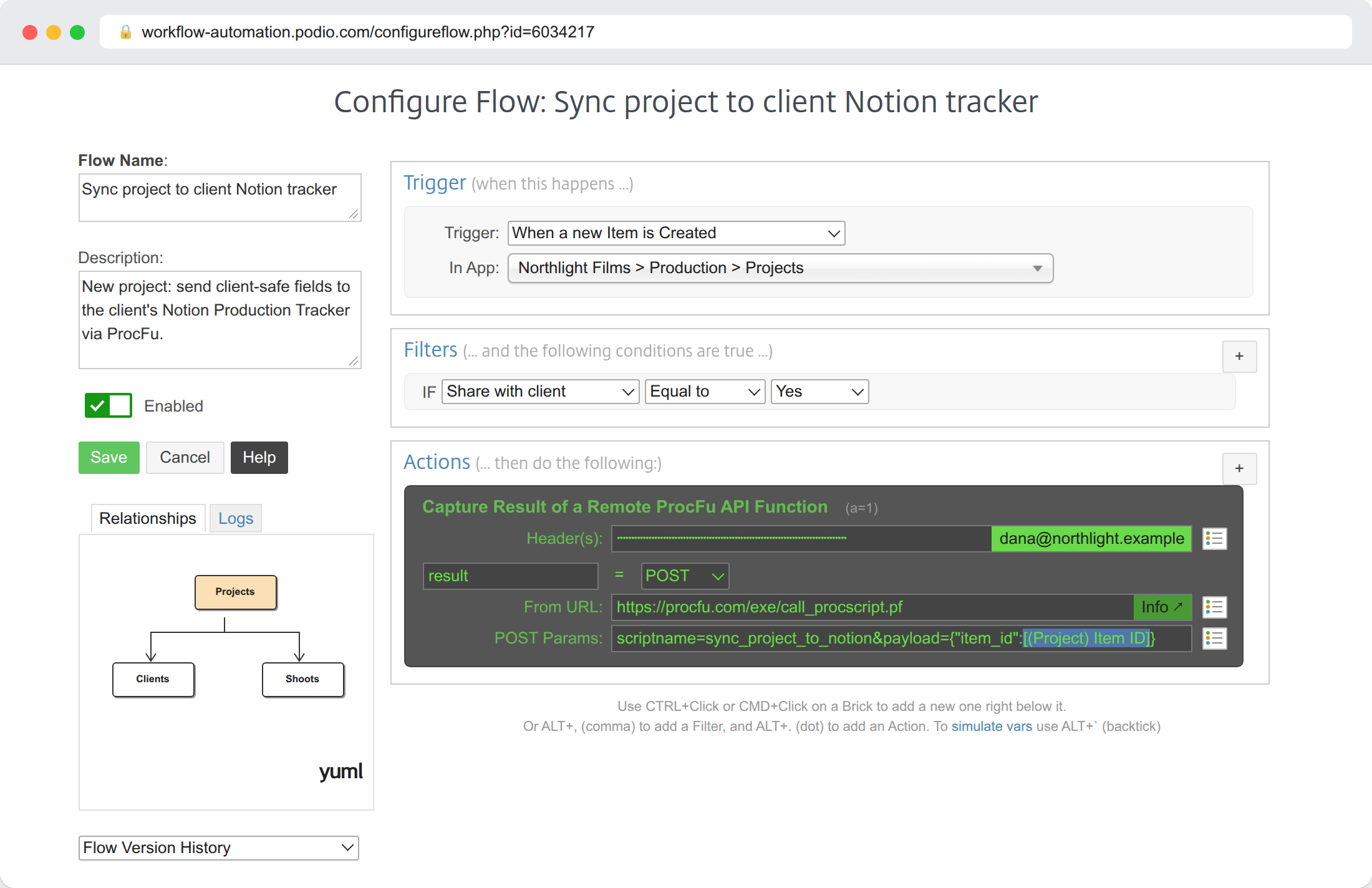
A filter on Share with client = Yes saves a call for internal jobs. The script checks it anyway.
The result
Dana moves a project to Client review, types the note, and saves. The client's tracker shows the new stage and the note a few seconds later. Nobody at Northlight opens Notion on Fridays any more. The 50 minutes went back to producing, and the "has editing started?" emails stopped in the first month.
The budget, the crew rates and the internal comments never reach Notion. The script only sends the six fields it names.
Two limits to know. Taking a project off the tracker (setting Share with client back to empty) stops the updates but leaves the row in Notion. Delete it by hand, or add a branch that calls notion_table_row_delete($tracker, $p["notion-id"]). And the feed runs one way: if a client edits a row in Notion, the next Podio save overwrites it. For a client tracker, that's the point.
Everything here runs on ProcFu: the Notion functions, ProcScript and call_procscript.pf. Connect Notion, build one tracker for your busiest client, and watch the next stage change land on its own.