Find Duplicate Contacts in Podio With One SQL Query
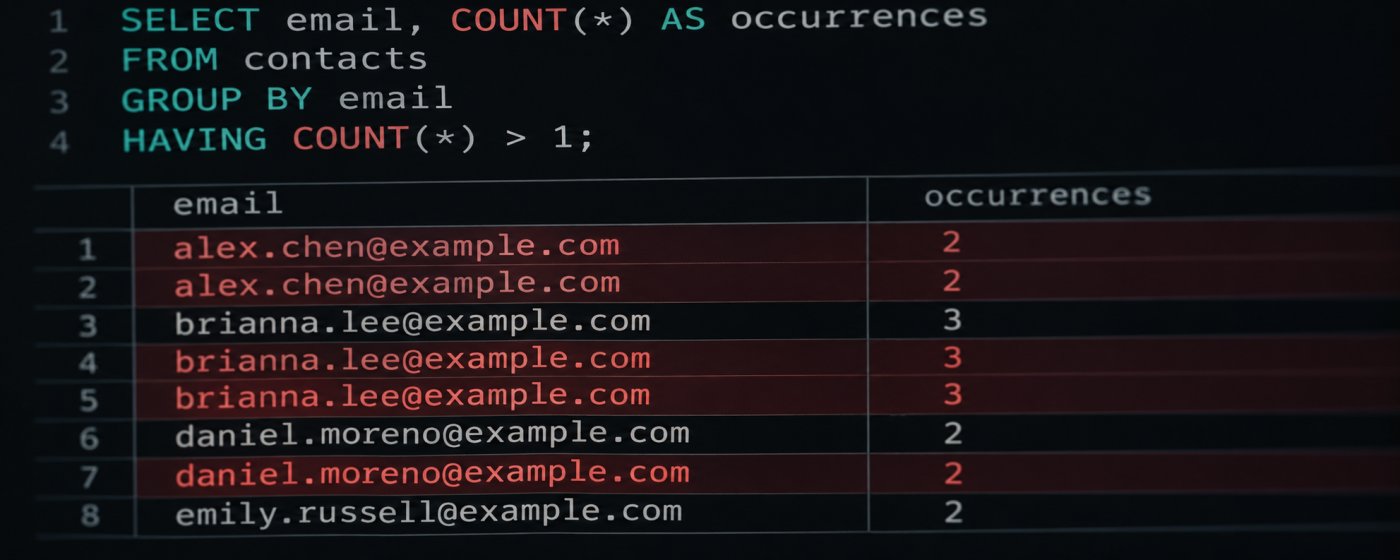
Harbor Point Insurance has 14 agents and a little over 11,000 people in its Podio Contacts app. Last month two agents quoted the same small-business owner on the same day, because she existed three times: once from the website form, once from an email, once from a CSV of trade-show leads.
Nobody had made a mistake. Every source created a new item, and Podio has no way to show you which items share an email address.
What they tried
The office manager exported Contacts to Excel, sorted by email and scrolled. It took most of an afternoon. She found 340 repeated addresses, but missed every pair where one copy said Priya.Raman@ and the other said priya.raman@ with a trailing space. A week later the export was stale.
Podio's search finds one person at a time. A PWA filter checks the item that triggered the flow, never the other 11,000. Neither can answer "which emails appear more than once?"
SQL answers that in one statement. The trick is getting your Podio data into MySQL, and ProcFu does that for you.
Step 1: Sync Contacts to MySQL
If you don't have a MySQL database connected to ProcFu yet, set one up first.
In ProcFu, open Data Syncs, click Create New Sync, pick the Contacts app and your MySQL connection, and save. ProcFu creates a table named after the app (contacts) with one column per field, named by the field's external ID. It registers webhooks on the app, so new and edited items reach MySQL within moments.
Three details matter for this build:
- Email and phone fields are stored as text. An item with two addresses holds them comma-separated:
priya@example.com,office@example.com. - Deleted items are kept with
is_deleted = 1. Always filter onis_deleted = 0. item_idis the Podio item ID, so every row points straight back to Podio.
Step 2: The duplicate report
On the Data Syncs page, click the table name to open it in Adminer, ProcFu's built-in MySQL admin. Open the SQL command tab and run:
SELECT LOWER(TRIM(SUBSTRING_INDEX(email, ',', 1))) AS email_key,
       COUNT(*) AS copies,
       GROUP_CONCAT(item_id ORDER BY item_id) AS item_ids
FROM contacts
WHERE is_deleted = 0 AND email <> ''
GROUP BY email_key
HAVING copies > 1
ORDER BY copies DESC;
SUBSTRING_INDEX takes the first address. LOWER and TRIM remove the case and whitespace differences that beat the spreadsheet. GROUP_CONCAT lists the Podio item IDs in each group, oldest first.
Harbor Point's run came back in under a second with 412 groups. That's 72 more than the afternoon in Excel found.
Phone numbers need more cleaning, because people type them every way imaginable. On MySQL 8 (DigitalOcean's managed MySQL is MySQL 8), strip everything but digits and compare the last ten:
SELECT RIGHT(REGEXP_REPLACE(SUBSTRING_INDEX(phone, ',', 1), '[^0-9]', ''), 10) AS phone_key,
       COUNT(*) AS copies,
       GROUP_CONCAT(item_id ORDER BY item_id) AS item_ids
FROM contacts
WHERE is_deleted = 0 AND phone <> ''
GROUP BY phone_key
HAVING copies > 1;
Step 3: Flag the existing duplicates in Podio
A report in Adminer helps the person who ran it. The agents work in Podio, so the flag belongs there.
Add a category field to Contacts called Duplicate Check with the options Unique and Possible duplicate. Then save this ProcScript in the ProcFu Code Editor as flag_duplicate_contacts and run it once:
// flag_duplicate_contacts: mark every newer copy of a repeated email
$groups = mysql_array("SELECT LOWER(TRIM(SUBSTRING_INDEX(email, ',', 1))) AS email_key, GROUP_CONCAT(item_id ORDER BY item_id) AS item_ids FROM contacts WHERE is_deleted = 0 AND email <> '' GROUP BY email_key HAVING COUNT(*) > 1", []);

$flagged = 0;
foreach ($groups as $g) {
    $ids = explode(",", $g["item_ids"]);
    $keep = array_shift($ids);
    foreach ($ids as $id) {
        ini_set("max_execution_time", 30);
        podio_item_fields_update($id, json_encode(["duplicate-check" => "Possible duplicate"]), false, true);
        podio_comment_create($id, "Possible duplicate of item " + $keep + " (same email: " + $g["email_key"] + ")", false, true);
        $flagged = $flagged + 1;
    }
}
RETURN $flagged;
The oldest item in each group stays clean, since it usually carries the most history. Every newer copy gets the flag and a comment naming the original. The last two arguments are hook and silent: with hook false, the updates don't set off your other automations, and with silent true, 11,000 contacts don't turn into a pile of notifications.
Now build a Podio view filtered on Duplicate Check = Possible duplicate. That view is the cleanup queue. Podio has no merge button, so for each item an agent moves anything useful (notes, related quotes) to the original and deletes the copy. The sync marks the deleted item in MySQL and the next report is shorter.
Step 4: Catch new duplicates as they arrive
Cleanup is worthless if the form keeps refilling the pile. Save a second script as check_new_contact:
// check_new_contact: flag a new Contact whose email already exists
$c = flow_item_get($payload["item_id"]);
IF (empty($c["email"])) {
    RETURN "no email";
}
$email = strtolower(trim($c["email"][0]));

$match = mysql_query("SELECT item_id, name FROM contacts WHERE is_deleted = 0 AND item_id <> ? AND LOWER(TRIM(SUBSTRING_INDEX(email, ',', 1))) = ? ORDER BY item_id LIMIT 1", [$payload["item_id"], $email]);

IF (empty($match)) {
    podio_item_fields_update($payload["item_id"], json_encode(["duplicate-check" => "Unique"]), false, true);
    RETURN "unique";
}

podio_item_fields_update($payload["item_id"], json_encode(["duplicate-check" => "Possible duplicate"]), false, true);
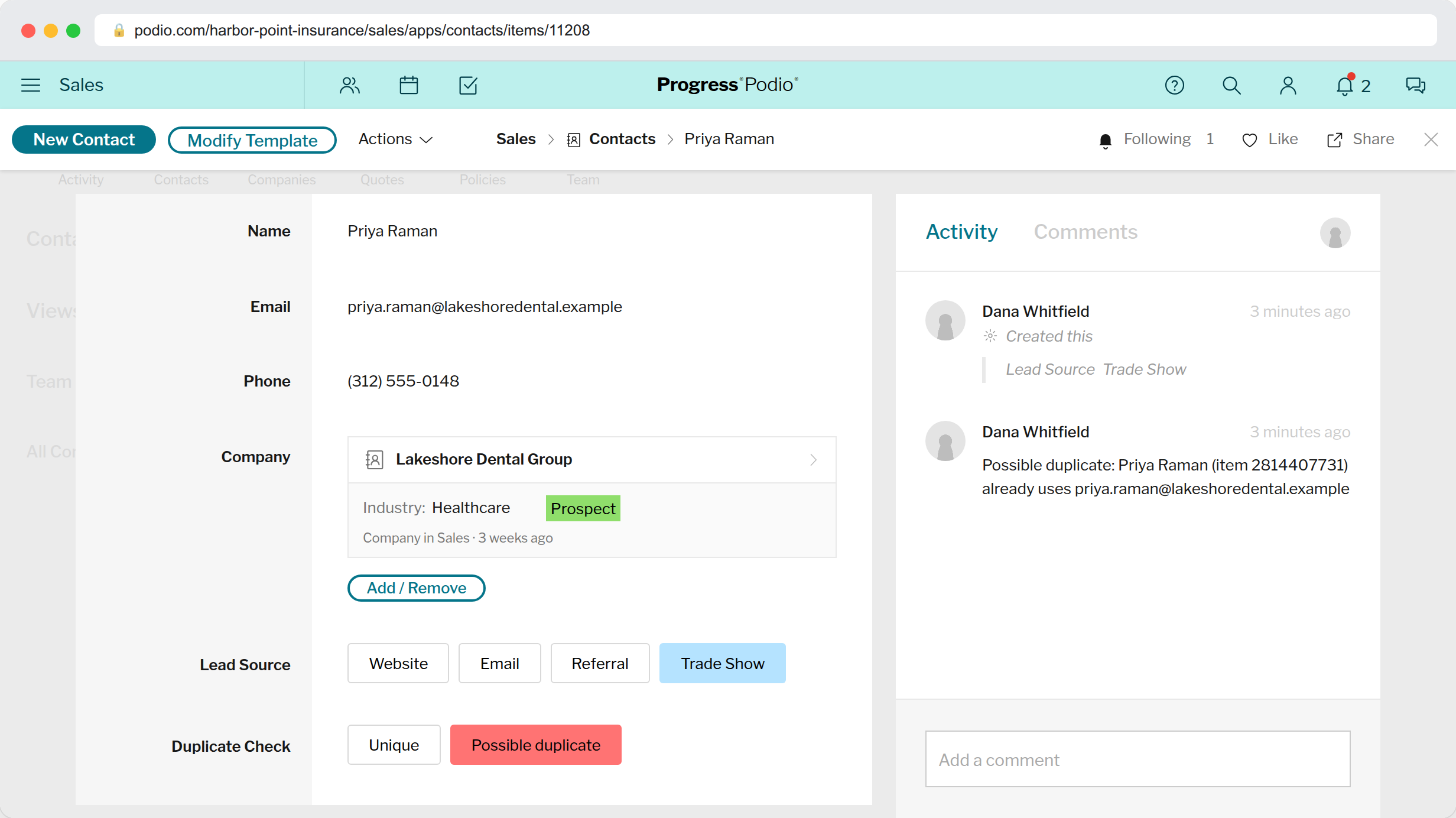
podio_comment_create($payload["item_id"], "Possible duplicate: " + $match["name"] + " (item " + $match["item_id"] + ") already uses " + $email, false, false);
RETURN $match["item_id"];
flow_item_get returns email fields as a list of addresses, so $c["email"][0] is the first one. It reads the new item from Podio rather than MySQL, so the check works even if the sync hasn't caught up with the item yet. name is the external ID of the contact's name field. Use your own.
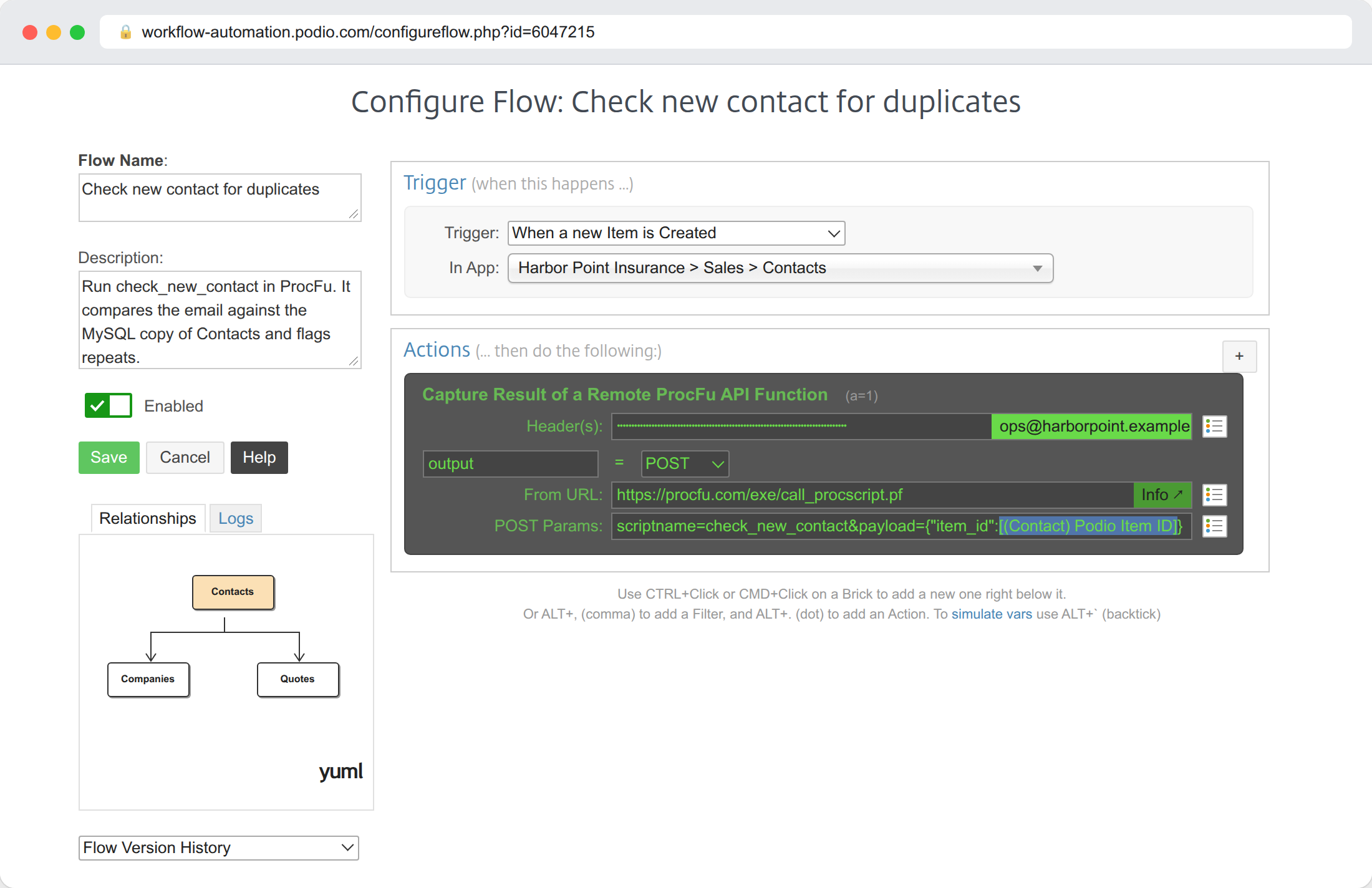
In PWA, create a flow on the Contacts app that triggers when an item is created, with one Capture Result of a Remote ProcFu API Function action:
- From URL:
https://procfu.com/exe/call_procscript.pf - POST Params:
scriptname=check_new_contact&payload={"item_id":ITEM_ID}, withITEM_IDfrom the token picker
When the trade-show CSV brings Priya Raman in a fourth time, the new item is flagged before any agent opens it:
The result
The first pass at Harbor Point flagged 483 items across 412 groups. Two agents cleared the queue in three days. The office manager stopped exporting. New duplicates now arrive already labelled, at a rate of about a dozen a week, mostly from the website form.
The same sync pays for itself again elsewhere: once Contacts lives in MySQL, questions like "contacts with no quote in 12 months" are one SELECT away.
Data Syncs need a paid ProcFu plan; ProcScript and the MySQL functions come with it. Connect a database, sync one app, and run the report. The first duplicate count is usually a surprise.